
Getting started with your Vision Restoration Therapy (VRT) is simple. To help you get the most out of your program, we’ll focus on proper preparation and calibration first.
We’ve put together this post to walk you through the VRT setup and download process step-by-step, so you feel fully prepared for your first session. Before starting this process, please wait until you have received your VRT QuickStart Guide, as you will need it for reference during setup.
How do I get started?
Once you have registered for NovaVision’s VRT, you will receive an email containing your license and login credentials Additionally, NovaVision will send you a chin rest to be used during the vision therapy by mail.
To get the best possible results, we ask that you wait until your chin rest arrives before logging in to begin your VRT. Proper head stability and comfort are key to making the therapy as impactful as possible.
What do I need?
Here’s what you will need from a technical perspective:
- Internet connection
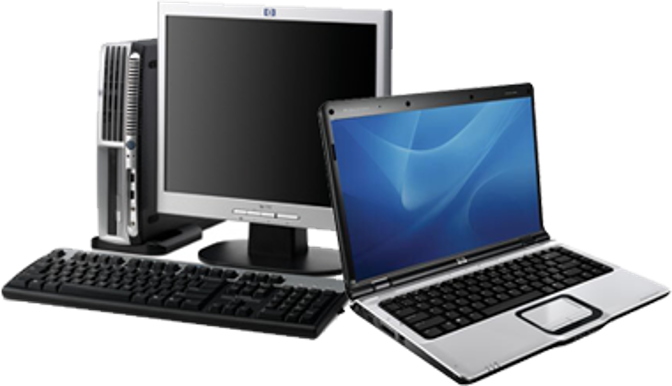
- PC (desktop or laptop) with Windows 10 (version 1903 or later). NovaVision VRT is not compatible with Apple OS, however, can be used with an Apple computer if Windows or a program such as Parallels (parallels.com) is installed.
- Screen size of 15” (diagonal) or greater is required (for VRT, do not use a screen larger than 19 inches). NovaVision therapies will not operate below a minimum screen resolution of 1920(W) x 1080(H).
- Some familiarity with computer operation and Internet browsing. The NovaVision therapies require an initial download and run of an Installation program from the NovaVision website portal. Your progress reports are also downloaded from the same portal.
Please note that, prior to registration, the NovaVision portal will run an automatic check on the technical attributes of the computer equipment being used to access the portal and will inform you if the technical requirements are not met..
How Do I Set-Up My Chin Rest?
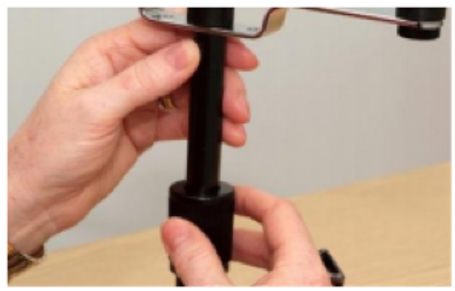
After receiving the chinrest in the mail, remove the chinrest and base from the packaging and screw the chinrest into the base until secure. Once you have adjusted your chin rest to the required height, make sure that the nut is securely tightened as seen below:
Place the chin rest near the edge of the table you will use for your therapy and adjust the height so that you are able to place your head and chin comfortably into it without sitting in a slumped position.
How Will I Get the Most Out of VRT?
Position your chin rest so that your line of sight is level with the center of your monitor; you may need to adjust your screen height to achieve this. Use a desk or table and a comfortable, upright chair. To reach the ideal alignment, feel free to use a sturdy box or a stack of books, as long as your setup is stable.
Please note that you should always set your screen to maximum brightness while doing therapy sessions.
When you begin the VRT program, you will be asked to calibrate your screen. This step is critical, as the technology uses it to calculate the exact distance required between the chin rest and the screen. For the best experience, make sure you are seated comfortably with good back support and have enough space to rest your arm on the desk to easily reach the response buttons.
Finally, for your convenience, you can download and use VRT on more than one computer. As long as the technical requirements are met, your therapy progress will sync automatically so you always start at the correct point regardless of the device. Just keep in mind that you will need to recalibrate the screen each time you switch devices.